Voice AI Agent Integration: A Practical Planning Checklist
Plan a voice agent around a real call flow: phone routing, Vapi integration, tool permissions, human transfer, testing, ownership and operating costs.
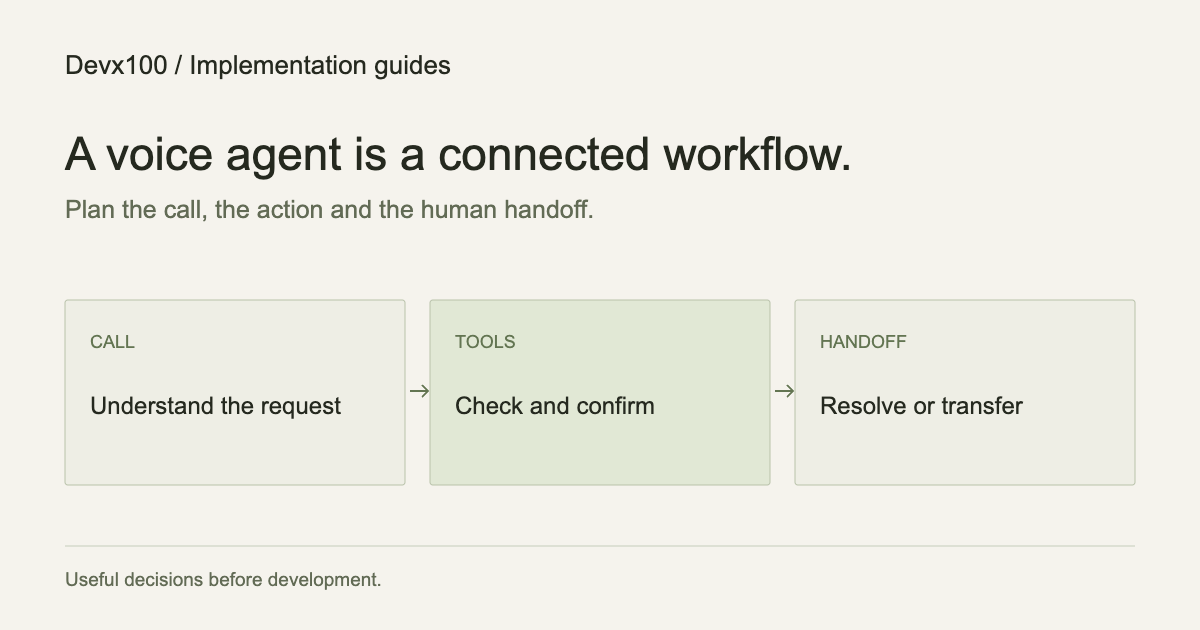
A voice agent project starts with a call, not a voice sample. Who is calling, what are they trying to do, and what must happen if the agent cannot help? Those questions determine the conversation, the integrations and the tests.
This guide is a planning framework, not a description of a live calling feature on Devx100. Our voice AI development service covers client implementations. The free templates demonstrate interfaces and do not include telephony or model usage.
Choose one call outcome
“Answer our calls” is too broad for a first release. “Collect an appointment request, check availability and transfer exceptions” is a task you can test. Write down the starting state, the information needed and what counts as completion.
Separate inbound phone calls, outbound calling and browser-based voice. They have different routing and operational requirements. List the intended languages, regions, working hours and what happens outside those hours. Outbound use needs its own permission and eligibility review before any campaign is enabled.
If every question requires a judgment from your team, begin with call routing or structured intake rather than promising autonomous resolution.
Map the voice stack and the business system
Vapi describes its voice stack in terms of speech-to-text, a language model and text-to-speech, with connections to systems and APIs. The platform handles parts of the voice infrastructure; your implementation still needs to define the business behavior.
For a booking flow, map the path explicitly:
- The caller gives a preferred date and task.
- A server-side tool checks availability in the correct calendar.
- The caller confirms the chosen slot and necessary details.
- A write operation creates the booking.
- The system confirms the actual result, or explains the failure and routes the call.
A prompt saying “book the appointment” does not create a reliable calendar integration. Time zones, unavailable slots, repeated requests and an interrupted response all need defined behavior.
Separate conversation from permission
The agent should receive only the tools needed for its role. A read-only availability lookup and a booking write should be different operations with different validation.
Decide what requires confirmation. Consider duplicate protection if the same action is retried. If an API times out, the system needs a way to determine whether the booking happened before it repeats the write. Otherwise a polite conversation can leave two reservations behind.
Keep provider credentials on the server. A public website widget should not receive a secret key or broad access to your CRM. For account-specific information, establish how the caller is authenticated before exposing the record.
Design the human handoff first
Write the handoff behavior before refining the greeting. A caller should be able to ask for a person. The agent should also escalate when it lacks the answer, cannot verify an action or reaches a task outside its scope.
A useful handoff includes the caller’s goal, details already collected and the unresolved issue. A failed transfer needs its own fallback: for example, an agreed callback process. Do not announce a transfer as successful until the connected system confirms it.
Identify who owns the handoff queue. An agent that creates tickets nobody monitors has moved the problem rather than solved it.
Test with awkward conversations
Use a small evaluation set based on real, appropriately sanitized call patterns. Include more than a happy-path booking:
- The caller changes the date halfway through.
- Background noise obscures a name or number.
- The caller interrupts while the agent is speaking.
- The calendar is unavailable or returns no slots.
- The caller wants a person immediately.
- The booking succeeds but the next system response fails.
Measure the resulting business action as well as the conversation. A natural voice does not prove that the correct appointment was created. Review response delay, tool-call accuracy, transfer success and recovery from failures.
Agree data, accounts and costs
List the accounts involved: voice platform, phone numbers, speech services, model provider, calendar, CRM and monitoring. Establish who owns each account and who can disable the integration.
Recording, disclosure, retention and intended calling use need review for the actual context before launch. Keep customer data and call recordings out of casual demo environments.
Operating costs can include telephony, model requests, speech processing, storage and infrastructure. Estimate them against representative calls, not only minutes in a scripted demo. Agree usage limits, alerts and the fallback when a limit is reached. Provider prices and eligibility can change, so check the selected accounts during scoping.
Start with an inspectable pilot
The first milestone should be a narrow flow in a test environment, with permission to fail safely. A pilot needs an owner, a test set, observable outcomes and a rollback or disable mechanism.
When it works, expand based on the calls it could not handle. You may find that a deterministic workflow automation or a chat assistant handles part of the problem more simply.
Prepare a voice AI project brief. Include the call outcome, existing tools, intended languages and where a person should take over.