AI chatbot, RAG assistant or workflow agent: which do you need?
Choose between chat, retrieval and workflow automation by mapping the job, source information, permitted actions and the evidence needed to trust the result.
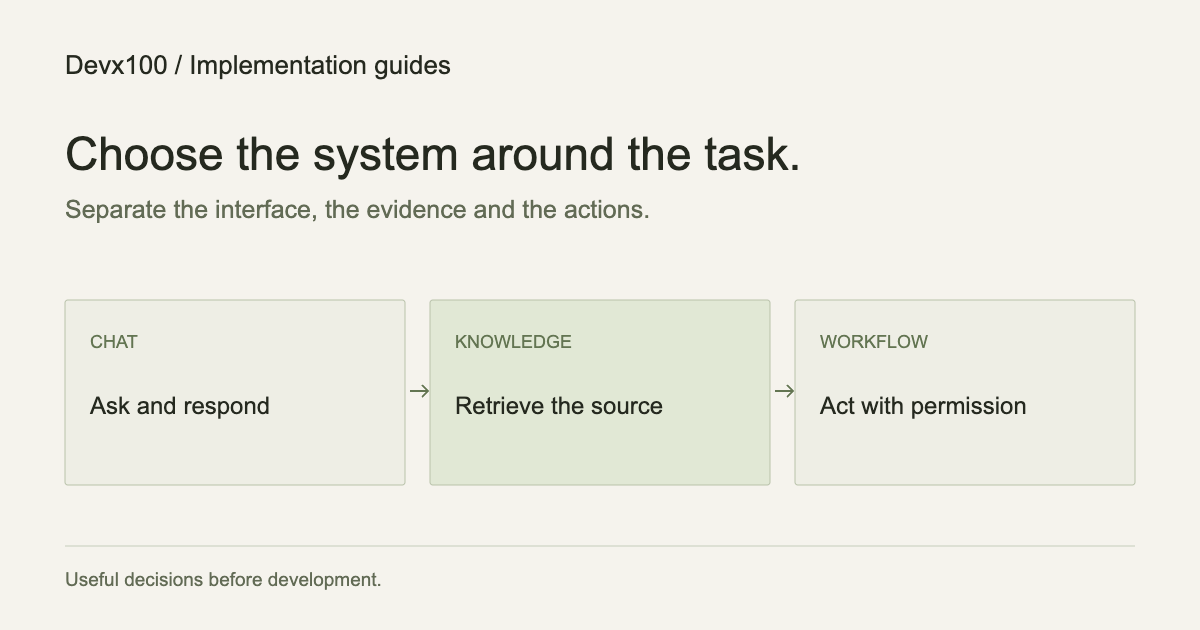
The same business problem can produce very different proposals: a chatbot, a knowledge assistant, an autonomous agent or a workflow. The names describe different parts of a system. They should not decide the project before the task is understood.
Start with what a customer or team member needs to achieve. Then separate the interface, the information and the actions. That gives you a practical way to choose the smallest useful implementation.
Chat is an interface, not a complete system
A chat interface lets someone describe a need in conversation. Behind it might be a simple decision tree, document search, a language model or several business APIs.
For customer support, define the questions the assistant can answer and the situations it must escalate. The conversation should make a human contact path available. A friendly response is not proof that the underlying policy, customer record or next action is correct.
A customer-support chatbot needs approved knowledge, useful loading and error states, evaluation questions and an operating owner. If it reads account-specific information, it also needs authentication and a permission boundary.
RAG provides source context
Retrieval-augmented generation connects an answer to selected source material. In a knowledge assistant, the retrieval layer finds relevant content and the model uses it as context. The interface can then link the answer back to the source.
This is useful when the answer depends on a changing document collection: product instructions, internal procedures or support policies. It also introduces a content-maintenance problem. Who owns the current version? How are deleted documents removed? Which users may retrieve which material?
An access-controlled RAG assistant should apply permissions before source content reaches the model. A sentence in the prompt is not a substitute for an application access check.
RAG does not guarantee correctness. The system can retrieve the wrong document, miss a relevant passage or generate an unsupported explanation. Test source retrieval and answer support separately. Define what the assistant should do when evidence is missing.
A workflow turns an event into a result
A workflow is often the best starting point when the steps are known. A form submission might validate fields, update a CRM record and request an approval. None of those actions inherently needs an LLM.
AI can help when one step needs interpretation: classifying an unstructured request, extracting fields or drafting a response. Keep that step inside a predictable boundary, with validation before its output becomes a write to another system.
For example, an enquiry workflow could:
- Validate contact details and detect a duplicate submission.
- Classify the request against a fixed set of service categories.
- Create a draft task for the responsible person.
- Ask that person to approve any external reply.
- Record the outcome and route failures to a visible queue.
That is an inspectable business automation, even if one part uses a model. It does not need to be marketed as fully autonomous.
An agent chooses actions within a boundary
For planning purposes, treat an agent as a system allowed to choose a next step from a defined set of tools. That flexibility can help when the sequence is not fixed, but it makes permissions, stopping conditions and evaluation more important.
Ask which tools it can call, what each tool may read or change, and what needs approval. Define limits on time, requests and repeated actions. Make sure an unavailable provider does not leave the process running indefinitely or repeat a destructive step.
If you cannot explain the permitted actions and the stopping condition, the design is not ready for production. A narrower workflow may get the useful part working sooner.
Use this decision table
| Main need | Starting point | Main thing to verify |
|---|---|---|
| Let visitors ask questions | Chat interface with a clear support path | Useful answers and successful handoffs |
| Answer from internal documents | Search or a RAG knowledge assistant | Source accuracy, freshness and permissions |
| Move data between known systems | Deterministic workflow | Correct writes, duplicate handling and retries |
| Interpret varied inputs before a known action | Workflow with a bounded model step | Validated output and review behavior |
| Choose among several tools for a task | A constrained agent | Tool permissions, stopping and recovery |
These choices can coexist. A voice or chat interface may trigger a workflow, and that workflow may retrieve documents. The architecture should still make each boundary visible.
Agree what a good result means
Collect representative, sanitized inputs before development. For each one, write down the expected answer, evidence or action. Include missing information, conflicting sources and provider errors.
Useful measures depend on the task: answer support for knowledge retrieval, successful booking for a voice flow, or duplicate-free writes for a workflow. Do not rely on one broad “AI accuracy” figure across unrelated tasks.
Also agree cost limits, logging rules and the person responsible for reviewing mistakes. Model and platform usage are operating costs, separate from implementation work.
Bring the workflow, not only a preferred model
A useful project brief describes the current task, the tools involved, the source information and where a person needs to stay in control. A provider preference can be a constraint, but it should not hide those decisions.
Devx100 offers AI and LLM integration services to scope and implement these connections. The public template editor has no model calls; a template with a conversation design is an interface example, not an enabled AI service.